Skip to content
 Logo
  • Platform
    • arrow-right-to-bracket
      Visitor management 2.0
      Secure by design, human by nature, Trusted worldwide.
    • person-walking-dashed-line-arrow-right-1
      Smart visitor management
      Always know who is arriving and why before they step through
the door.
    • calendars
      Seamless workspace experience
      Desks, rooms and routes that keep people moving.
    • chart-mixed
      Adaptive compliance & risk management
      Compliance protection in the background so work continues.
    • siren-on
      Predictive safety & emergency response
      Be ready for anything and keep people safe.
    • By complexity
      • home_work
        Small businesses
      • apartment
        Multi-site organizations
      • factory
        Highly-regulated environments
      • account_balance
        Public sector & education
    • By Role / function
      • warehouse
        Operations & Facilities
      • arming_countdown
        Security & Risk
      • tv_signin
        Front Desk & Admin
      • diversity_3
        Compliance & HR
      • network_intel_node
        IT & Implementation
      • groups
        Leadership & Strategy
  • Features
    • ZtmdQ7zzk9ZrXCs1_PageIcons_sia_spaces_ico_012_companion
      Mobile & kiosk sign-in
    • 6581b9e0531ac2845a26c6b2_pre_register
      Employee sign-in
    • Branding-&-localization
      Branding & localization
    • 6581b9db531ac2845a26c6ad_companion
      Companion App
    • signal-stream
      Sign In App Tap
    • green-sparkle
      AI assistant
    • integrations
      Integrations & API
    • scan
      ID scan & safety check
    • evacuation
      Evacuation management
    • 6581b9e1531ac2845a26c6b3_safety_check
      Visitor approvals & risk insights
    Explore all features
  • Pricing
    • paid
      Plans and pricing
    • tablet-button
      Compare stands
    • payments
      Buy now
  • Enterprise
    • bookmark
      Blog
    • news
      Newsroom
    • category_search
      Case studies
    • verified_user
      Data security
  • Company
    • group
      About
    • handshake
      Partners
    • green-sparkle
      AI Approach
    • person_edit
      Careers
    • forum
      Contact us
Login Free trial
Login Free trial
  • Sign In App Tap
  • Sign In Companion
  • Evacuation management
  • Visitor badges
  • Pre-registrations & invites
  • Event management
  • ID scan & identity match
  • Integrations & API
  • Advanced meeting management
  • Advanced visitor approvals
  • AI Assistant
  • Appointment scheduling
  • Assets, classified documents & containers
  • Branding & localization
  • Delivery management
  • Desk & meeting room booking
  • Employee sign in
  • Incident management
  • Mobile & kiosk sign-in
  • Notifications
  • Onboarding & credentials
  • Platform customization
  • Reportable information
  • Reporting
  • Single Sign-On (SSO)
  • Time & attendance
  • Visitor approvals & risk insights
  • Workflows

Desk & meeting room booking

Smart space booking for modern, hybrid workplaces

Hybrid work works best when spaces adapt to people. Sign In App Spaces brings desks, rooms, and bookable resources into one flexible system - letting you decide what can be booked and how. Employees plan their day with confidence, facilities teams see how space is really used, and everything runs through our dedicated Companion App for employees.

An office floorplan view is shown, with employee pictures next to desks they have booked. An empty one, desk 5 is highlighted with a message confirming it's free all day. Another window shows the confirmed booking for that desk with buttons to quickly re-book it for other days

Hybrid work shouldn’t be hard

Without a proper desk and meeting room booking system, managing hybrid work quickly becomes messy:

  • Desks are limited, and availability isn’t clear before people arrive
  • Meeting rooms are double-booked or underused
  • Facilities teams lack real utilization data
  • Office space planning is based on assumptions

Clear booking and real-time visibility turn a chaotic office into a well-run one. A connected desk and meeting room booking system helps employees plan their day, enables teams to coordinate smoothly, and gives facilities leaders the data they need to make smarter space decisions.

A woman is using a phone in an public setting, with a mobile app view overlayed showing a floorplan and which desks are free for her to book at the London Office tomorrow

Make anything bookable with Spaces

Desks

Desk chair icon

Meeting rooms

Meeting room icon

Breakout areas

Sofa breakout icon

Parking spaces

Parking icon

Equipment

Monitor equipment icon

EV charging points

EV battery charging icon

Desk and resource booking tailored to your workplace

Resource booking icon

Customizable space booking

Make any space bookable - desks, rooms, parking, equipment, EV charging - with flexible configuration.

Floor plan icon

Self-service floor plans

Upload or create floor plans with a simple drag-and-drop editor so employees can see exactly where they’re booking.

Employee search icon

Hybrid work coordination

Reserve desks, check availability, and see who’s onsite through an intuitive booking experience.

Permission warning icon

Granular booking controls

Set permissions by space, zone, or team with flexible access rules.
aBH-M_IqRLdaBvpn_sia_enterprise_icons_enterprise_sia_ico_003

Smart space rules

Configure bookable days, buffer times, capacity limits, and downtime with ease.
Analytics insights icon

Utilization insights

Clear reports on occupancy, usage trends, and optimization opportunities.
ZtCBO0aF0TcGJhSB_button-cursor

Advanced search & filters

Use custom tags and attributes to quickly find the right workspace.
mobile-alt

Unified platform experience

Book spaces through Sign In Companion - the same app used for entry and daily workplace access.

Bookings, redefined by intelligence

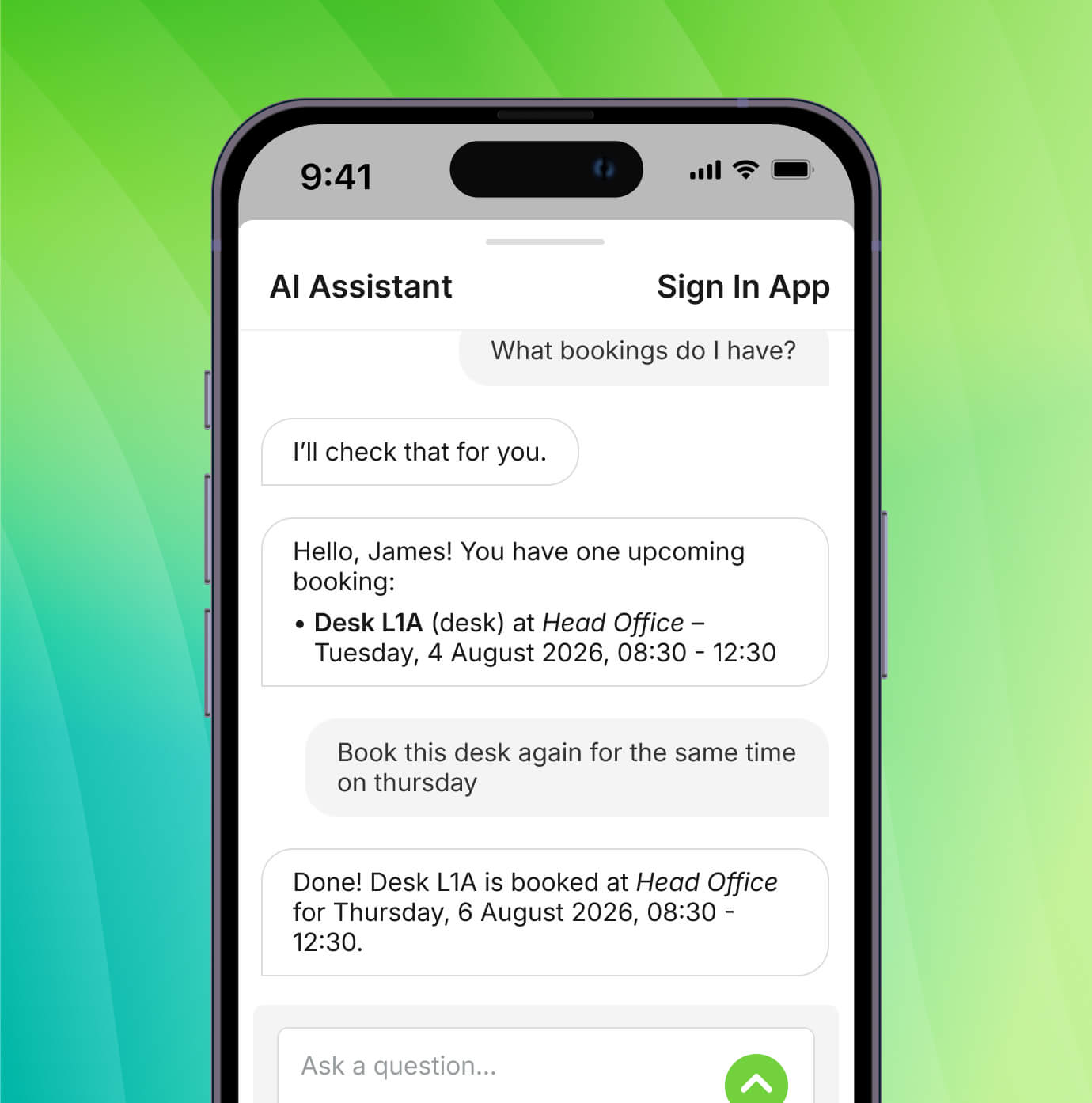
Forget endless searches and complicated systems. With our AI-powered Companion Assistant, booking a desk, room, or parking spot is as simple as asking. 

No more searching for availability. No more switching tabs. Just ask the Assistant - and move on with your day.

Ask things like:

  • Book me a desk next to Jack tomorrow
  • Find me a meeting room at 2pm next Wednesday
  • Book me parking every morning next week
Smartphone interface displays a conversation with an AI agent about booking a hotdesk and parking in London for September 17-18. A sample interface then shows the confirmed booking details completed by the AI companion.

For organizations managing desks & meeting spaces at scale

A calendar is shown with a date selected, with employee pictures and booking confirmation notes for a meeting room and catering. The Outlook icon is also overlayed showing the integration with Outlook

Advanced meeting management

Upgrade to our advanced tool for managing room bookings, scheduling, catering, and AV setup - with Outlook integration for seamless coordination across multiple locations.
Learn more about advanced meetings
A laptop is shown with a sample company dashboard, with lines connecting it to various different integrations and logos for Slack, Microsoft Entra ID, Google Workspace, Microsoft Teams, and Wonde

System integrations

Connect space booking data with workplace, reporting, or operational systems through APIs for deeper insight and automation.
Learn more about integrations

Simplified, streamlined desk and resource booking for employees

  1. Employees can see real-time desk and room availability
  2. Desks or rooms are booked on the spot or in advance
  3. Teams can book coordinate in-office days with ease
  4. Spaces are used efficiently as planned
  5. Usage data drives smarter space decisions
A graphic office floor plan is shown with arrows highlighting the bathrooms, when a desk is available, and the capacity of a meeting space. Some stats are overlayed showing the total booking numbers of various spaces like desks, meeting rooms, breakout areas and parking spaces

Built for every organization

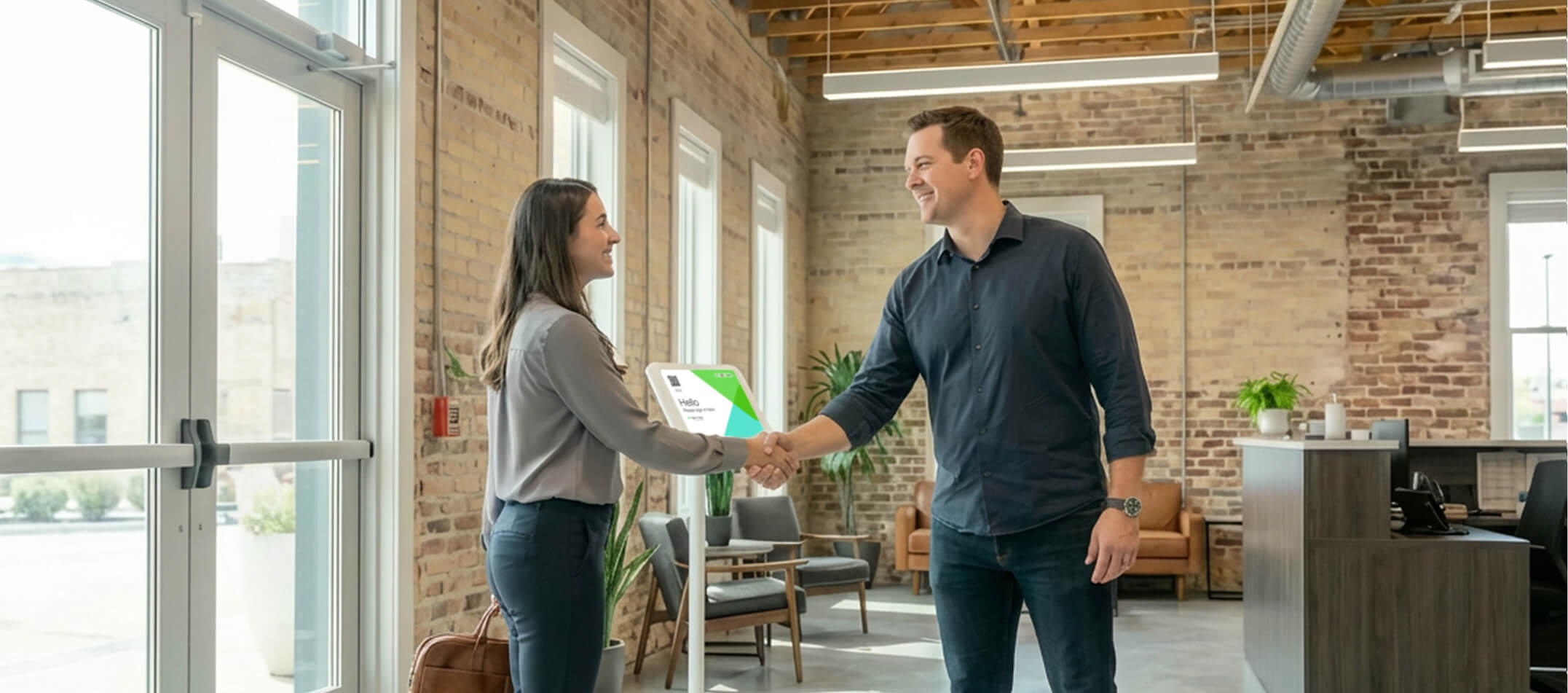
Two people are shaking hands in the reception of a small business

Small businesses

Make hybrid work simple and predictable.

  • Easy desk and room booking
  • Clear visibility into availability
  • No complex setup
Learn more
A bright, open workspace with indoor plants and glass panels, with blurred people moving about

Multi-site teams

Coordinate space across locations.

  • Shared booking standards
  • Local flexibility
  • Central insight into usage
Learn more
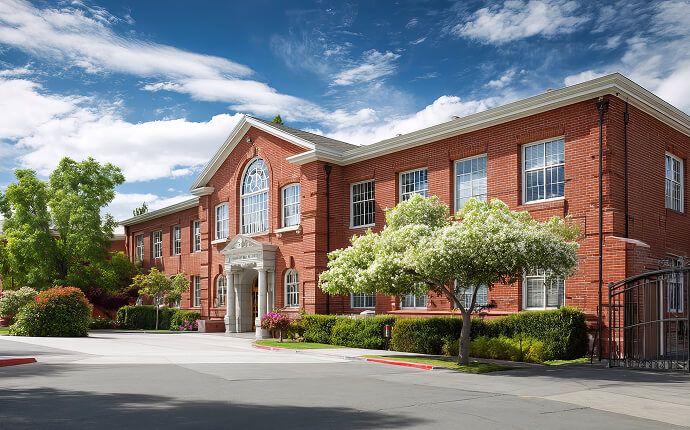
The front of a large educational institute under a sunny, blue sky and surrounded by trees and greenery

Public sector & education

Support shared, multi-use spaces.

  • Clear booking rules
  • Transparent usage reporting
  • Budget-conscious planning
Learn more

Related features

Advanced meeting management Time & attendance Sign In App Tap Reporting Platform customization AI Assistant Integrations & API

Experience smarter space management

Give every employee a clear, easy way to work hybrid and every facility manager the insight to plan ahead with desk & meeting room booking that works how you work. 
Start free trial Book a demo

Frequently asked questions

A desk booking system removes the guesswork from hybrid work. It helps employees find a space, know when colleagues are in, and avoid overcrowding or empty zones. For facilities teams, it provides accurate utilization data - showing which spaces are used, which aren’t, and how to plan for future needs. 
Desk booking lets employees reserve workspaces through the Sign In Companion app, available on iOS, Android and from a web browser. They can see what’s available, book a desk, and check when colleagues are in - all from one place. 
Yes. You can make any space or resource bookable: desks, meeting rooms, breakout spaces, parking, EV chargers, equipment, and more. Each space can have its own rules, permissions, and availability.
No. Everything happens inside the Sign In Companion app they already use for sign-ins, evacuations, and pre-registrations. No extra tools, no extra accounts.
Absolutely. You can upload existing floor plans or build them using the drag-and-drop editor. No consultants or expensive space-mapping tools are required.
Yes. Our advanced meeting management tool can sync with Outlook so bookings stay consistent across both systems. Our advanced tool unites room booking, catering/services, and visitor check-in in one platform - so from invite to exit, everything stays smooth and connected. 

Desk & meeting room booking is available on our Enhanced & Pro plans. See pricing here.

  • Platform
    • Visitor management 2.0
    • Smart visitor management
    • Seamless workspace experience
    • Adaptive compliance & risk management
    • Predictive safety & emergency response
  • Solutions
    • Small Businesses
    • Multi-Site Organisations
    • Highly Regulated Environments
    • Education & Public Sector
    • Operations & Facilities
    • Security & Risk
    • Front Desk & Admin
    • Compliance & HR
    • IT & Implementation
    • Leadership & Strategy
  • Features
    • Advanced meeting management
    • Advanced visitor approvals
    • AI assistant
    • Appointment scheduling
    • Branding & localization
    • Companion App
    • Delivery management
    • Desk & meeting room booking
    • Employee sign in
    • Evacuation management
    • Event management
    • ID scan & safety check
    • Incident management
    • Integrations & API
    • Mobile & kiosk sign-in
    • Notifications
    • Onboarding & credentials
    • Pre-registration & invites
    • Platform customization
    • Reporting
    • Sign In App Tap
    • Single Sign-On (SSO)
    • Time & Attendance
    • Visitor approvals
    • Visitor badges
  • Resources
    • Blog
    • Case studies
    • Newsroom
    • Data security
  • Help
    • Login
    • User guide
    • FAQ
    • Beta
    • Legal stuff
    • Cookies
    • System status
    • Trust center
    • Corporate brochure
    • Education brochure
  • Pricing
    • Plans and pricing
    • Compare stands
    • Book a demo
    • Buy now
  • Company
    • The team
    • Partners
    • Careers
    • Contact us
  • Deutsch
  • Español
  • Français
Follow Sign In App on Facebook Follow Sign In App on Instagram Follow Sign In App on LinkedIn Follow Sign In App on X Watch Sign In App on Youtube

Registered Office: 4 Waterside Way, Northampton, England, NN4 7XD - Registration No: 08516772 - Registered in England. ISO27001 Information Security Management - Certificate No. 122520 - US address: Sign In App Inc. 150 2nd Ave N, Suite 1540, St. Petersburg, Florida 33701 (855 615-1590) - EU address: Sign In App, S.L., Paseo Juan Carlos I, 23 (local 11), Edificio Mediterraneo, Marina Botafoch, 07800 Ibiza, Baleares, España (919 26 50 44)

© 2026 Sign In App Ltd is part of the Sign In Solutions suite of brands providing global, cloud-based solutions to manage visitors, employees, workplaces and beyond